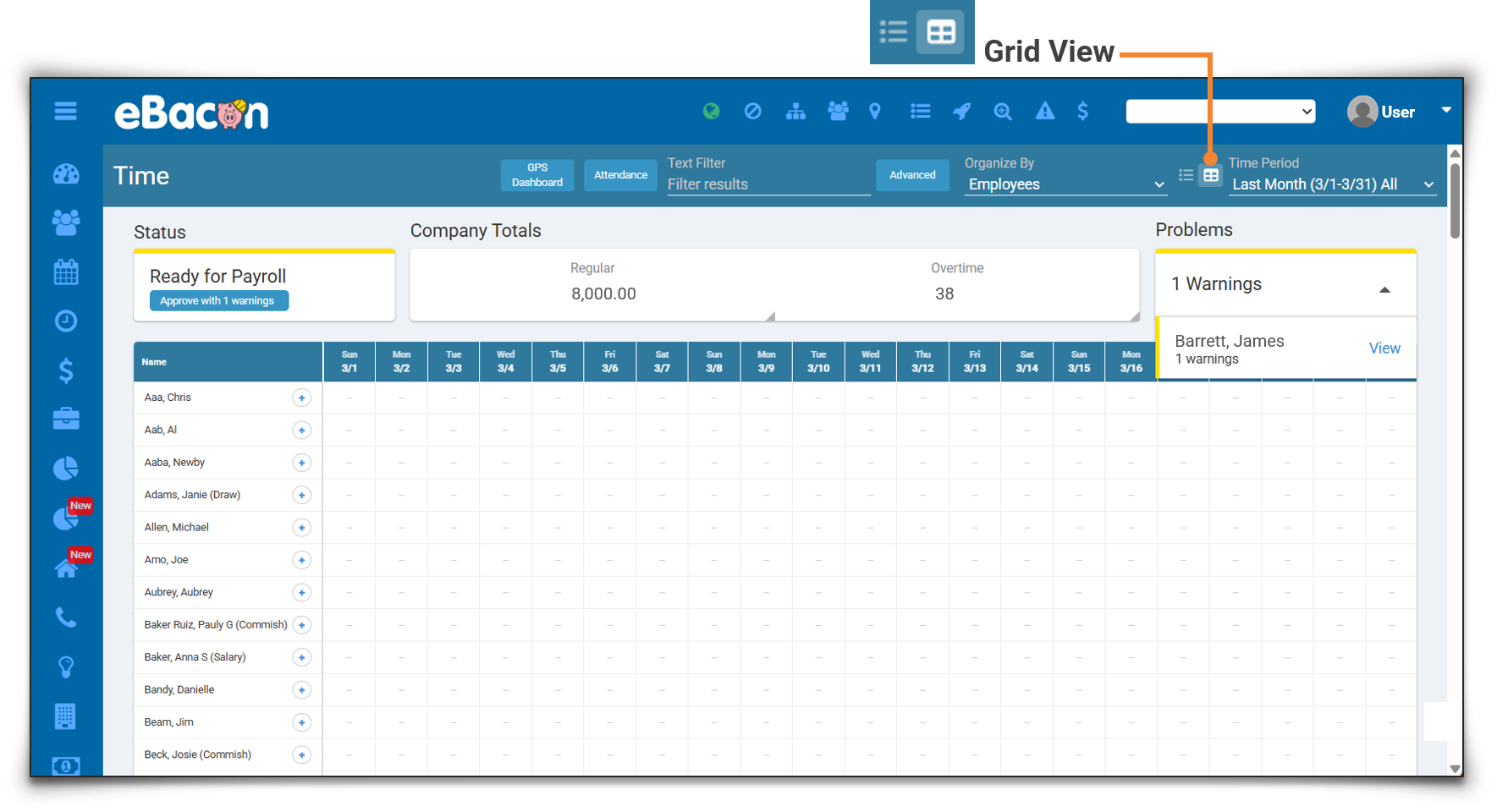
A Simpler, More Intuitive Time Screen
A new grid-style view in the Time screen makes it significantly easier to review employee time. Instead of searching through individual punches, users can now quickly see daily hours, totals, and activity in an organized layout. This is especially valuable for teams managing high volumes of time entries, where speed and clarity matter.
HOW IT WORKS:
To view the grid, use the List | Grid toggle icon adjacent to the Time Period filter at the top of the Time screen.
Timekeeping Compliance Alerts
Additionally, the system now shows timekeeping compliance alerts to help catch potential issues earlier, such as missed meal breaks. If any compliance alerts are triggered, they appear directly within the Time screen. Compliance alerts are automatic. No configuration required.