
The Time screen now includes a grid-style view and built-in compliance alerts, making it easier to review employee time and identify issues earlier.
Grid-Style View
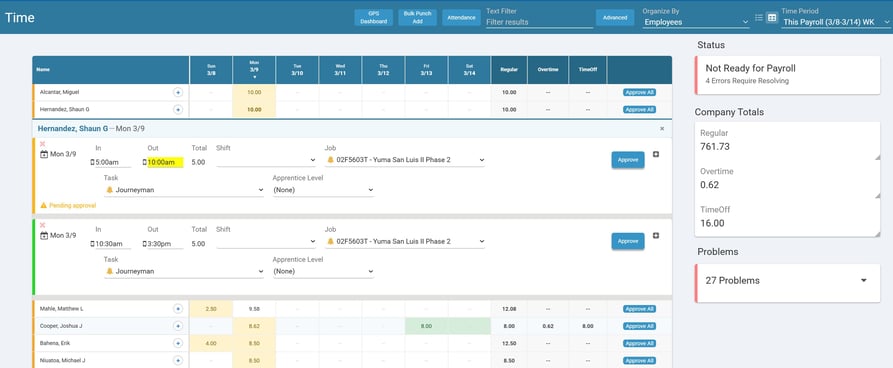
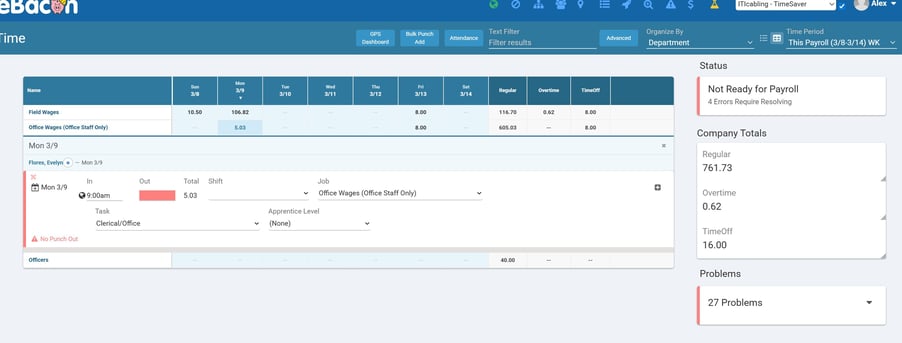
The grid layout allows teams to review hours by day across employees or departments without scrolling through detailed records.
How It Works
1. In the Time screen, use the List | Grid toggle next to the Time Period filter
2. View hours by day across employees or departments
3. Click a cell to view records for that day
4. Click an employee's name to view all records for that employee
Compliance Alerts
Compliance alerts now appear directly within the Time screen, helping teams catch issues like missed meal breaks.
Alerts appear in the Problems section and highlight entries that may require review.
Why This Matters
- Faster time review across employees
- Earlier identification of compliance issues
- Fewer payroll corrections
- Improved accuracy before reporting
What to Do Next
Start using the updated Time Screen during your next payroll cycle to review hours and address compliance alerts earlier in the process.